
Multi-Location Inventory Management
See stock by store and warehouse, coordinate replenishment, and track transfers from dispatch to receipt. Keep central and local teams working from the same stock information.
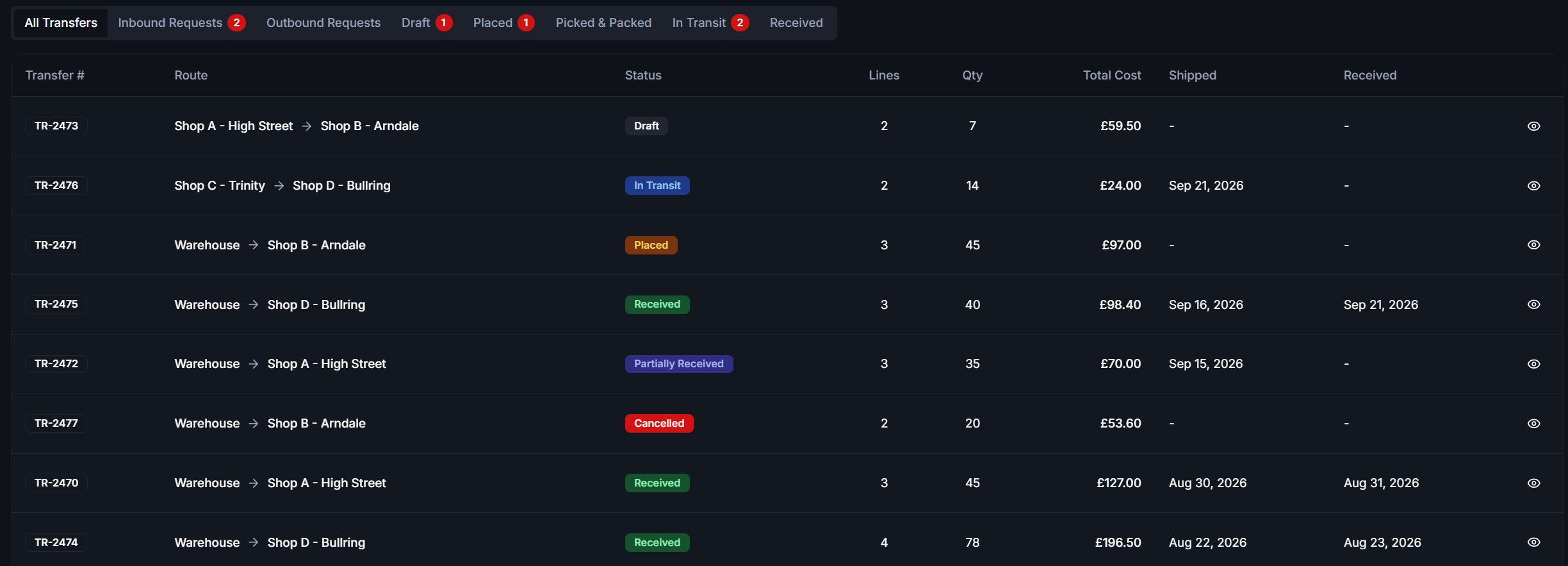
Command your entire footprint
Whether you operate two stores or twenty, true multi-location control requires granular visibility and rigorous transfer workflows.
Location-Level Visibility
Controlled Transfers
Store Replenishment
Centralised Command
Coordinate stores and warehouses
A network-wide total is not enough for day-to-day decisions. Review stock and movement at the location where the work takes place.
Step 1
Review stock at each location
Check where stock is held before committing to a transfer or new purchase. Use location-level visibility to discuss availability with the relevant store or warehouse.
Step 2
Plan replenishment
Identify a store that needs stock and review available inventory elsewhere in the network. Decide what to move through your controlled replenishment and transfer workflow.
Step 3
Track dispatch and receipt
Record the movement from its origin to its destination. Review quantities sent and received, including discrepancies that need attention.
Step 4
Review the local outcome
Use location-specific stocktakes and reporting to check the result. Central purchasing and local store teams can review the movement alongside the stock held at each site.
Multi-location FAQs
Do I pay per feature as I grow?
No. All platform features are included. As your business grows, you simply pay for the additional locations you add to the system.
Can staff at one store see stock at another?
Yes, you can configure permissions to allow store staff to check stock availability across your entire network to better serve customers.
How are transfers recorded?
Transfers require dispatch from the origin and receipt at the destination. Any discrepancies between sent and received quantities are logged for review.
Related Resources
Unify your locations
Bring a store-to-warehouse replenishment scenario to your demo and review stock visibility, dispatch, receipt and discrepancy handling.