
Stocktake Software for Retail Businesses
Count stock by location while your stores keep trading. Review expected and counted quantities, investigate variances, and confirm adjustments through a controlled workflow.
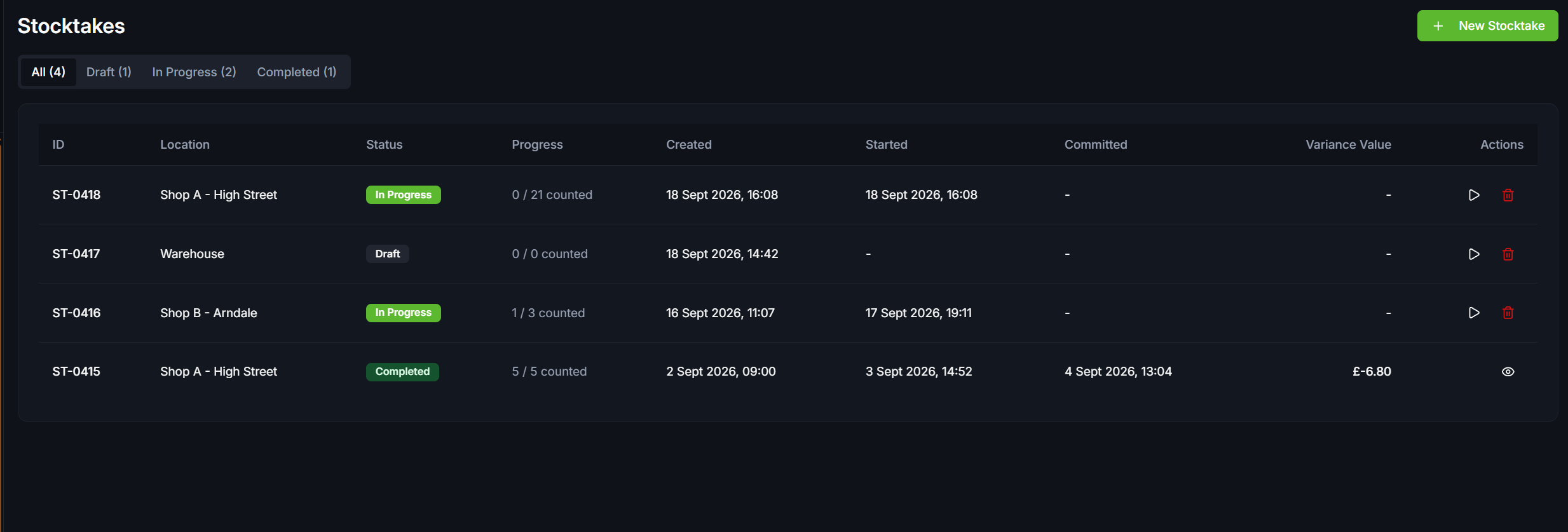
Count with confidence
A stocktake shouldn't mean operational paralysis. Our cycle counting tools are built to handle real-world retail environments.
Ongoing-Sales-Aware Counting
Controlled Counts
Clear Variance Reporting
Permanent Audit Trail
How a retail stocktake works
Use the count to understand discrepancies, not just replace a number. These are the counting and review stages to assess in your demo.
Step 1
Choose the location and scope
Organise the count around the store or warehouse you are checking. Decide which stock is being counted and who will review the result.
Step 2
Record the physical count
Count the stock at that location. Sales-aware counting accounts for sales during the count, so ongoing trade is part of the reconciliation rather than an ignored movement.
Step 3
Investigate the variances
Compare expected quantities with the physical count. Review the quantity and value differences before deciding which adjustments should be confirmed.
Step 4
Confirm and retain the record
Review the outcome before confirming stock adjustments. Keep completed counts, variances and resulting adjustments available for later operational review.
Stocktake FAQs
Can we continue selling while counting?
Yes. Our sales-aware counting logic reconciles items sold during the count against the final physical tally, ensuring your numbers remain accurate.
Is Inva-Pilot involved in stocktakes?
Inva-Pilot can provide conversational guidance and surface historical variance data, but it cannot alter stock quantities autonomously. All changes require explicit user confirmation.
Can I assign a count to a specific store?
Absolutely. Counts are location-specific, allowing you to run simultaneous or staggered stocktakes across your network.
What happens when a count differs from expected stock?
The variance is available for review before stock adjustments are confirmed. Use the completed count and adjustment history to investigate the difference.
Related Resources
Stop guessing your stock levels
Book a demo of location-specific counting, sales during a count, variance review and the resulting adjustment records.